What to expect
Sea Hero Quest is now daily. If you're coming from the original game that might seem like a radical departure, but it's by design.
Short Version
- Each day you get a quest: a few short games to play.
- Don't worry if you're bad at navigating. Trends are more important than performance.
- Playing daily is what lets patterns emerge over time.
- Everyone gets a path score. PLUS adds insights every 14 days.
Why the game changed
Our new research with the University of St Andrews is about tracking spatial memory and episodic memory over time. A single session can only tell us so much. A daily one tells us how you change.
Beyond that, the purpose of Sea Hero Quest is to create new brain health metrics for personal performance - ones that sit alongside the other health metrics in your life, like sleep quality, heart rate and physical activity.
By playing each day, new patterns emerge over time. Those patterns are really valuable for our future understanding of the brain.
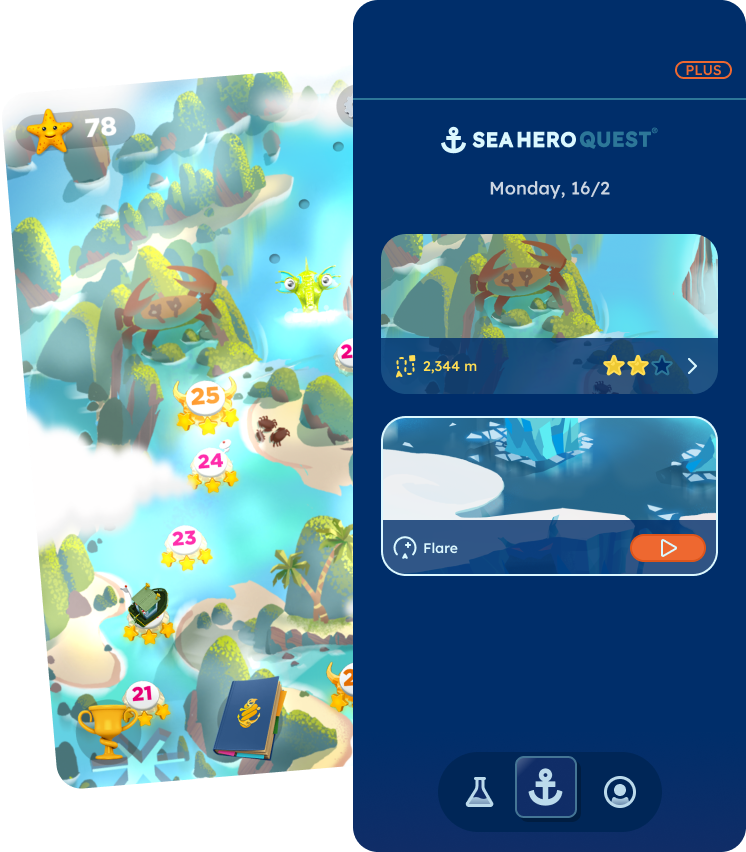
What is a daily quest?
A few games from Sea Hero Quest that you can play each day.
Everyone has their own personal baseline and some games are difficult. Don't lose faith, try again tomorrow! Trends are more important than outright performance.
If you do decide to quit, you're skipping the level and uploading partially completed data for analysis. It's still valuable, don't be too hard on yourself.
There's an optional notification reminder you can set if you want a daily nudge to play.
Scoring
- Every day, free players can share their path score.
- PLUS subscribers get their brain animal every 14 days, along with a spatial graph plotting that score.
- Daily benchmarks are generated overnight from other players around the world. So your
score for yesterday's quest appears the following day, under Quest History in the
 Player section, in the bar at the bottom of the screen.
Something not behaving as you'd expect? Ask in the WhatsApp Community, email support@glitchers.com, or browse the FAQ.