Redeeming an invite
Sometimes an invite doesn't activate when you tap the link. We see this happening mostly on iOS devices, and it takes about a minute to fix.
Short Version:
- 1. Force-close the app.
- 2. Follow the invite link on the same device.
- 3. Press Redeem Invite.
Apple has written a really clear guide on force-closing apps on their website here.
Apple users
- 1
Install the app
The invite link needs Sea Hero Quest already on your device to work. If you haven't installed it yet, get it here first.
- 2
Make sure it isn't running
Swipe up from the bottom of the screen to open the App Switcher. Then swipe up on the Sea Hero Quest card to force-close it.
Full instructions: Close an app on your iPhone
- 3
Follow the invite link on the same device
Open the invite on the same device you have Sea Hero Quest installed. A link opened on your laptop won't reach your phone, but it will display a QR code you can scan.
- 4
Press Redeem Invite
Sea Hero Quest should open and you will land on the invite screen. Press Redeem Invite and you're in.
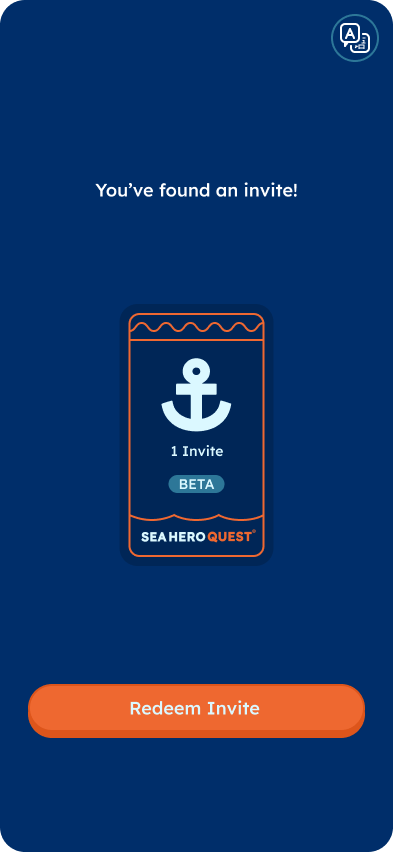
The invite screen you're looking for.
Still not working?
- Check you're on the latest version of the app, then try the steps again.
- Invites are limited by date and can run out of uses. If it says the invite has already been used, let us know in the Whatsapp group and we'll resolve it.
Still stuck? Ask in the WhatsApp Community, email support@glitchers.com with your device model and the invite link, or browse the FAQ.